2026 Top USB C to USB Converters for Global Buyers

Time:2026-09-06 Author:Isabella
0%

In 2026, the Usb C To Usb Converter is no longer a minor travel accessory. It has become a practical link between modern USB-C laptops and older USB-A equipment. Global buyers now expect more than basic plug compatibility. They need dependable data transfer, stable charging, safe construction, and clear regional purchasing information.

A converter may connect a USB-C tablet to a keyboard, barcode scanner, flash drive, or printer. However, not every model supports the same speed or power level. Some deliver USB 2.0 performance, while others support USB 3.2 data rates. A compact aluminum shell can resist daily bag friction, but it cannot correct weak internal wiring. Small details matter.

Jeff Ravencraft, USB Implementers Forum President and COO, described USB Type-C as “the connector for the future.” That observation remains useful, although the connector alone does not guarantee performance. Buyers should verify host compatibility, power direction, data standards, shielding, warranty terms, and certification claims before ordering. Testing with a real laptop and peripheral is still wiser than trusting polished packaging.

This guide examines leading Usb C To Usb Converter options for international buyers in 2026. It considers construction, speed, charging behavior, portability, supplier transparency, and value across different markets. No converter is perfect. Some models look excellent but provide limited specifications. Others are inexpensive and surprisingly reliable. The right choice depends on the devices, working environment, and expectations behind the purchase.
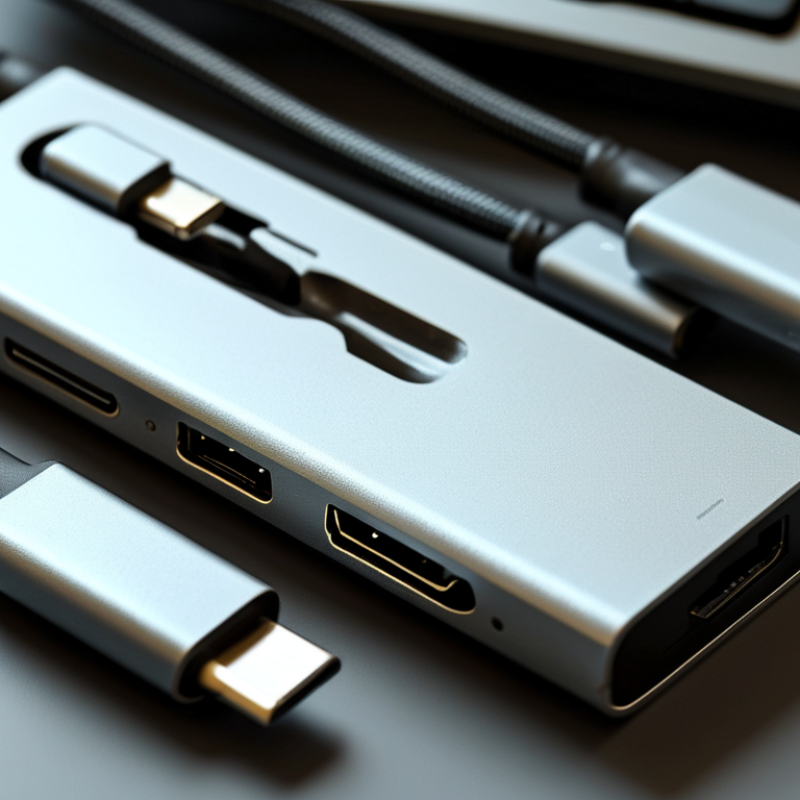
2026 Top USB C to USB Converters for Global Buyers

Understanding USB-C to USB Converters and Their Main Functions

2026 Top USB C to USB Converters for Global Buyers

Understanding USB-C to USB Converters and Their Main Functions

A USB-C to USB converter connects newer USB-C devices with older USB-A accessories. It may support keyboards, flash drives, cameras, or wired controllers. The physical fit is only the starting point. A converter must also carry data, power, or both. Some models support USB 3-class transfer rates, while others remain limited to USB 2.0 performance. Check the specifications carefully.

The connector shape does not guarantee fast charging. Charging speed depends on the device, cable, converter, and power source. A compact converter may allow basic charging but provide little power for a laptop. Power Delivery support must be clearly stated. For storage devices, confirm host support and operating-system compatibility. Android devices may require OTG support, and some tablets restrict external accessories.

In practical use, port alignment matters. A loose connection can interrupt file transfers when a drive is moved slightly. Heat is another detail worth checking during extended use. It should remain warm, not unusually hot. One common mistake is choosing by appearance alone. A simple label can still be incomplete. Buyers should compare data speed, charging limits, materials, warranty terms, and regional compliance information. Even experienced users can overlook cable quality. The converter is only one part of the connection.

Key Features to Consider for Global Compatibility

Global compatibility starts with more than a USB-C plug. In mixed travel testing, a converter may charge a phone but fail with a monitor. Check USB-IF certification, power delivery support, and data speed before buying. USB-IF specifications allow USB Power Delivery 3.1 to reach 240 watts, but the converter, cable, and device must all support that level. A high-power label alone proves little.

Regional standards also matter. The European Union requires USB-C charging for many portable devices sold from December 2024. Laptop rules begin in April 2026. This makes reversible USB-C connectors increasingly practical for international buyers. The Global E-waste Monitor 2024 recorded 62 million tonnes of electronic waste in 2022. It projects 82 million tonnes by 2030. A reliable converter can reduce duplicate cables, though this benefit is easy to overstate. Compatibility still depends on each device’s protocol.

Tips: Choose converters with clear input and output ratings. Confirm support for charging, data, and display signals separately. Look for multilingual safety markings and internationally usable voltage guidance. Test the converter with a laptop, phone, and external screen before departure. A compact metal shell feels reassuring, but heat performance matters more. My own mistake was trusting a short product listing. It omitted display support. That small omission caused the biggest inconvenience.

2026 Top USB C to USB Converters for Global Buyers - Key Features to Consider for Global Compatibility

Converter Type USB-C Input Output Interface Maximum Data Rate Charging Capability Video Support Operating-System Compatibility Global Compatibility Considerations Best Use Case
USB-C to USB-A Basic Adapter USB-C plug; USB 2.0 or USB 3.x source required USB-A receptacle 480 Mbps with USB 2.0; up to 5 or 10 Gbps when equipped with USB 3.x wiring Usually intended for peripherals; USB 2.0 supports up to 2.5 W, while USB 3.x standard downstream power supports up to 4.5 W No direct video conversion Generally compatible with Windows, macOS, ChromeOS, Linux, Android, and iPadOS when host OTG is supported The adapter does not convert regional AC voltage or mains plugs; it only changes the connector interface Connecting keyboards, mice, flash drives, card readers, and other USB-A accessories
USB-C to USB-A High-Speed Adapter USB-C port with USB 3.2 data support USB-A 3.x receptacle Up to 5 Gbps for USB 3.2 Gen 1 or up to 10 Gbps for USB 3.2 Gen 2 Data-focused; charging performance depends on the host port and adapter design No direct DisplayPort or HDMI output Works with most modern desktop, laptop, tablet, and phone operating systems that support USB host operation Both the USB-C host and USB-A peripheral must support the advertised USB generation to reach the stated speed External SSDs, high-speed card readers, cameras, and data-transfer equipment
USB-C OTG Adapter USB-C host device with USB On-The-Go support USB-A female port, sometimes with an additional USB-C power input Usually 480 Mbps; higher rates are available on USB 3.x OTG models Power is normally supplied by the phone or tablet; powered versions can accept external USB-C power No video conversion unless the host and accessory separately support an applicable video standard Android, ChromeOS, Windows tablets, and selected iPadOS devices; host-mode support must be verified Device-level OTG support varies by model and region; filesystem support may also differ Using USB storage, wired controllers, MIDI equipment, or input devices with mobile hardware
USB-C to USB-B Adapter USB-C host or upstream port USB-B receptacle Up to 480 Mbps with USB 2.0; some equipment supports up to 5 Gbps using USB 3.x USB-B Typically data-only; connected equipment normally uses its own power supply No video output Broadly compatible when the connected printer, scanner, audio device, or instrument has an appropriate driver Useful for legacy equipment; driver availability and USB class support should be checked before purchase Printers, scanners, digital audio devices, laboratory equipment, and musical instruments
USB-C to Dual USB-A Adapter USB-C host port with sufficient power and bandwidth Two USB-A ports Shared bandwidth of up to 480 Mbps, 5 Gbps, or 10 Gbps depending on the internal controller Total power is shared between ports; high-power drives may require an externally powered hub No direct video conversion Compatible with common desktop and mobile operating systems supporting USB host mode Confirm the host device permits multiple peripherals and can supply adequate current Connecting two low-power USB-A devices without carrying a full docking station
USB-C Hub with USB-A Ports USB-C upstream connection; some models require USB-C Power Delivery input Two to four USB-A ports, with optional USB-C data, Ethernet, audio, or card-reader ports Up to 5 or 10 Gbps per USB 3.x generation, with bandwidth shared across connected devices Power Delivery pass-through may support up to 100 W or higher on suitable USB-C PD designs; delivered power is lower after hub overhead Selected models support DisplayPort Alt Mode; video capability is not provided by USB data ports alone Windows, macOS, ChromeOS, Linux, Android, and iPadOS support varies by port, driver, and device policy Check USB-C Alt Mode, PD input, regional charger requirements, and whether Ethernet or display functions are driver-free Expanding a laptop or tablet into a compact workstation
USB-C to USB-A Charging Adapter USB-C charger or power source USB-A charging port Data may be unavailable or limited to USB 2.0; charging-only designs should not be used for data transfer Depends on USB-C source, cable, current signaling, and thermal design; the adapter does not automatically increase charger power No video support Broad hardware compatibility, provided the connected cable and device accept USB-A charging USB-C connector compatibility does not guarantee fast charging; verify current ratings and charging protocols Reusing existing USB-A charging cables with a USB-C power source
USB-C Active Display Adapter with USB-A Data USB-C port supporting DisplayPort Alt Mode and USB data USB-A data port plus HDMI or DisplayPort output USB data typically up to 5 or 10 Gbps; video resolution depends on the display protocol and available lanes May provide USB-C PD pass-through; available charging power depends on the host, charger, and adapter Common configurations include 4K at 60 Hz, but resolution and refresh rate must be confirmed for each model Usually plug-and-play on modern Windows, macOS, ChromeOS, and Linux systems; multi-display behavior varies The USB-C source must support DisplayPort Alt Mode; USB-C ports intended only for charging or data will not drive a display Connecting legacy USB-A accessories and an external monitor through one USB-C port

Compatibility note: USB-C describes the connector shape, not a guaranteed data speed, charging level, or display function. Buyers should verify the host port specification, USB generation, Power Delivery support, Alt Mode support, cable rating, and local charger or plug requirements before ordering.

Top USB-C to USB Converter Types for Different Devices

For global buyers, the best USB-C to USB converter depends on the device, not only the connector shape. A simple USB-C to USB-A adapter suits laptops, tablets, and phones with older keyboards, mice, or flash drives. Choose a USB 3.x-rated model for large files. Basic USB 2.0 versions are slower but often cheaper. Power matters too. Some phones need OTG support before recognizing a drive. I once carried a tiny adapter that charged correctly but failed during file transfers. That mistake changed how I test converters.

For smartphones and tablets, an OTG converter is usually the practical type. It can connect a wired controller, card reader, or portable storage. However, high-power accessories may drain the battery quickly. A powered USB-C hub is better for several devices, Ethernet, displays, or external drives. Confirm video support separately, because USB-C ports do not all carry display signals. Do not assume a charging port handles data. That assumption causes avoidable returns.

For cameras, audio recorders, and office equipment, select a converter matching the required data speed. Photographers moving large raw files should avoid products with unlisted transfer rates. Storage devices also need stable power and firm connections. Check the connector type, USB generation, power limit, cable length, and operating-system compatibility. Regional plug standards matter when a hub includes a charger. I prefer tested performance over attractive packaging, although real-world results can vary. Even careful buyers can miss one detail.

Safety, Performance, and Certification Standards in 2026

In 2026, USB-C to USB converters should be judged by safety evidence, not polished packaging. A reliable unit identifies its power limits, data speed, and supported connector modes clearly. Look for testing against USB Type-C and USB Power Delivery requirements where charging is involved. A converter used with a laptop should not promise high-wattage charging without verified thermal protection. It should also control overcurrent, overvoltage, and short-circuit risks. Small details matter. Check the cable strain relief, connector alignment, and housing temperature after repeated use.

Certification also requires careful reading. IEC 62368-1 testing can support equipment safety, while EMC reports address unwanted electromagnetic interference. Market-specific marks may include CE, UKCA, FCC, or other national approvals. These marks should match the product, importer, and destination market. RoHS documentation can help confirm restricted-substance compliance. However, a printed logo is not proof by itself. Request a current declaration, test report, or traceable certificate from the supplier. Documents with mismatched model numbers deserve questions. I have seen product listings make broad claims while omitting actual output conditions. That weakness is easy to miss. Independent sampling, burn-in checks, and repeated plug tests provide stronger confidence than a single factory statement. Performance may still vary with host devices, cable quality, and operating temperature. A practical purchasing decision should record these limits before global shipment.

How to Choose the Right USB-C to USB Converter Worldwide

2026 Top USB C to USB Converters for Global Buyers

How to Choose the Right USB-C to USB Converter Worldwide

Choosing a USB-C to USB converter worldwide starts with compatibility, not appearance. Identify both ports before buying. USB-C may carry data, charging, or video, but not every device supports all three. A USB-C to USB-A adapter is useful for connecting older keyboards, flash drives, cameras, or storage devices. Check whether the converter supports USB 2.0, 5Gbps, or 10Gbps data speeds. Marketing labels can be confusing.

Power requirements also deserve close attention. A small keyboard needs little energy, while an external drive may need stable power during transfers. Look for the converter’s maximum current rating and confirm that your host device supports the required output. For international travel, USB standards usually remain consistent, but wall chargers and power plugs differ by region. Use certified charging equipment that matches local voltage requirements. Heat matters too. After several minutes of file transfers, a poorly designed metal shell may become uncomfortable to touch.

In practical use, a short converter with firm strain relief is easier to carry and less likely to bend a laptop port. Test the connection with several devices before relying on it for work. I once chose a compact model that fit perfectly, but its loose socket interrupted photo transfers. That mistake was avoidable. A reliable choice balances speed, power handling, physical durability, and verified compatibility rather than chasing the lowest price.

FAQS

: What should I check before buying a USB-C converter?

: Check charging, data, and display support separately. Confirm input and output ratings, USB-IF certification, power delivery, and transfer speed. A USB-C plug alone proves little.

Can every USB-C converter charge a laptop?

No. The converter, cable, charger, and laptop must support the required power level. A high-wattage label may not reflect real performance.

What converter suits older keyboards, mice, and flash drives?

A USB-C to USB-A adapter is usually suitable. Choose a USB 3.x-rated model for large files. Basic USB 2.0 versions work, but they transfer data more slowly.

What is useful for connecting accessories to phones or tablets?

An OTG converter can connect wired controllers, card readers, and portable storage. The phone or tablet must support OTG. Some accessories may drain the battery quickly.

When is a powered USB-C hub a better choice?

Choose a powered hub for several devices, external drives, Ethernet, or displays. Confirm video support separately. Not every USB-C port carries display signals.

Can a USB-C converter support an external monitor?

Only if the converter and device support video output. Do not assume a charging port also carries display data. Test the setup before traveling.

What should photographers check for large files?

Check the USB generation, stated transfer rate, connector type, power limit, and cable length. Unlisted speeds create uncertainty. Test large raw files before departure.

How can travelers reduce compatibility problems?

Test the converter with a phone, laptop, and external screen. Carry multilingual safety markings and clear voltage guidance. A compact metal shell feels reassuring, but heat performance matters more.

Do regional charging rules affect converter choices?

Yes. Regional standards increasingly favor reversible USB-C connectors. However, local plug types and charger voltage guidance still matter, especially with powered hubs.

Can one reliable converter replace several cables?

Sometimes. It may reduce duplicate cables and electronic waste. Still, compatibility depends on each device’s protocol. My own assumption once failed during file transfers.

Conclusion

This guide explores the 2026 Usb C To Usb Converter market for global buyers, explaining how these compact adapters connect modern USB-C devices with traditional USB equipment. It covers their main functions, including data transfer, charging, and support for peripherals such as storage drives, keyboards, cameras, and other accessories. Readers will also learn how connector design, USB standards, power delivery, transfer speed, durability, and regional compatibility affect real-world performance.

The article compares different converter types for laptops, tablets, smartphones, and other devices, while highlighting the importance of safe construction and reliable operation. It also discusses certification expectations, heat management, electrical protection, and practical factors such as portability and cable flexibility. By considering device requirements, charging needs, data speed, operating environments, and compliance with recognized safety standards, international buyers can select a suitable converter that offers dependable performance and long-term value.


Isabella

Isabella

Isabella is a dedicated marketing professional with a sharp focus on driving brand growth and engagement through strategic content creation. With an extensive background in digital marketing, she combines her passion for storytelling with her keen understanding of industry trends to deliver......