Why Are There Different Charging Cord Types?
A charging cord may look simple, but its connector, wiring, and supported power level determine what it can do. USB-C, Lightning, and EV charging cables are not interchangeable solutions. Even two USB-C cords can differ in charging speed, data capability, and device compatibility. Small details matter: a phone may charge slowly through a low-rated cable, while a laptop needs a cord and charger designed for higher power.
The USB Implementers Forum’s USB Power Delivery 3.1 specification supports power delivery up to 240 watts with compatible equipment. That figure shows why connector shape alone cannot tell the whole story. For electric vehicles, the International Energy Agency’s Global EV Outlook 2024 reported that public charging points grew by about 40% in 2023, with fast chargers increasing by roughly 55%. More charging options also mean different plugs and cables across vehicles and charging networks. Jeff Ravencraft, USB-IF president, described USB Type-C as “the only cable you’ll need for all your devices.” The line captures its promise, but needs a caveat: one connector does not guarantee the same performance everywhere. That distinction is central to understanding Charging Cords Types. The labels can be confusing. A little caution helps. Check the cable’s rating, connector, and device requirements before assuming it will charge quickly or safely.
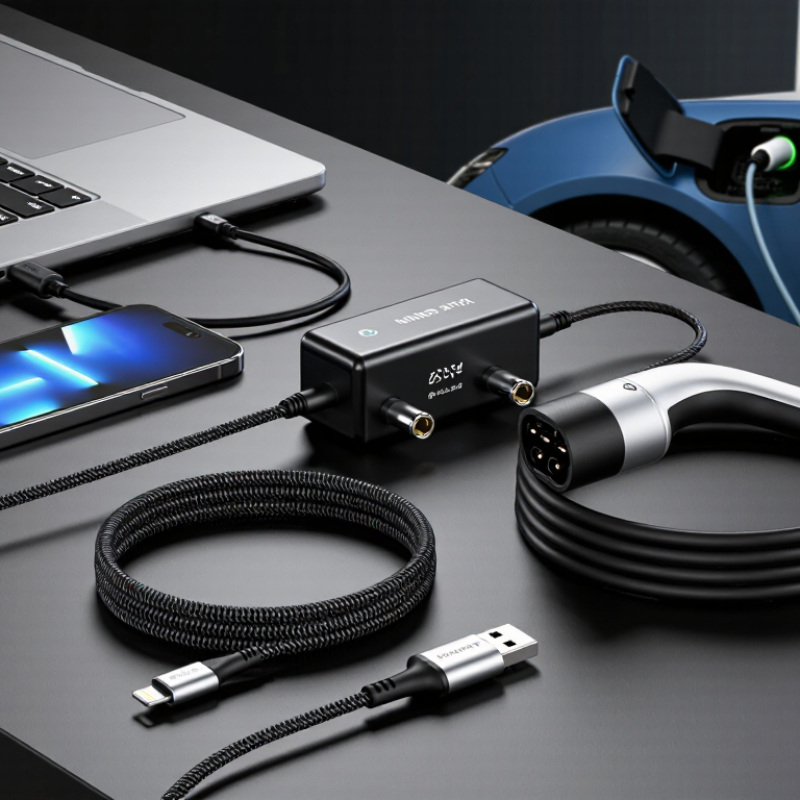
A charging cord is more than a wire with two ends. It is a controlled pathway for electrical energy between a power source and a device. Its design includes conductors, insulation, connectors, shielding, and strain relief. Conductors carry current through the cable. Insulation keeps that current contained and reduces the risk of shocks or short circuits. Connectors must fit securely and maintain steady contact. Small details matter.
A cord’s charging ability depends on its electrical rating, not only its appearance. The rated current shows how much electricity it can carry safely. The rated voltage indicates the electrical pressure it can handle. Some cords also transfer data, while others only deliver power. That difference is easy to miss. A reliable specification should clearly identify these limits. A thicker cord may resist heat better, but thickness alone proves very little.
Construction quality also defines a charging cord. Flexible outer material can protect the internal wires during daily use. Repeated bending near a connector may weaken those wires over time. I still catch myself judging cords by feel, which is not always accurate. Even a new cord can have unclear labeling or poor internal assembly. A charging cord is ultimately defined by its connector design, electrical capacity, safety insulation, and durability. The visible shape matters, but the hidden ratings often matter more.
Charging connectors have changed as devices became smaller, more portable, and more power-hungry. Early electronics often used round barrel plugs, with each device needing a particular size and power supply. They worked, but a drawer full of nearly identical adapters was common. Not elegant.
USB-A later offered a more familiar connection for many phones and accessories. Smaller mini-USB and micro-USB plugs helped slim down handheld devices, though their one-way orientation could be fiddly in a dim room. Connector wear also mattered: repeated plugging could loosen a port or fray a cable, especially near the plug.
USB-C marked a shift toward one compact, reversible connector. It can carry power and data, and compatible devices may negotiate charging levels between the device, cable, and adapter.
The connector alone does not guarantee faster charging; the equipment must support matching power standards. That distinction is easy to miss. As devices evolve, connectors must balance convenience, durability, and electrical capacity.
The change is not perfectly tidy: older devices still rely on earlier plugs, and adapters can add clutter. A newer shape is useful, but compatibility remains part of the story.
Charging cords now come in several practical forms. USB-C is the most common modern option for phones, tablets, laptops, headphones, and handheld consoles. Its small, reversible plug reduces the daily frustration of checking orientation. USB-A to USB-C cords remain common because older wall adapters, car ports, and computers still use USB-A sockets. Micro-USB survives in older accessories, cameras, speakers, and low-cost devices. Some laptops also use dedicated magnetic or barrel connectors, although these are less interchangeable. The USB Implementers Forum continues expanding USB-C capabilities, with newer specifications supporting higher power and faster data transfer. However, a USB-C shape does not guarantee premium performance. The cable may support charging only, or limited wattage.
European Commission rules require USB-C charging for many portable electronic devices sold in the European Union from December 2024. Laptops follow in April 2026. This policy reflects a wider waste problem. The Global E-waste Monitor 2024 reported 62 million tonnes of electronic waste in 2022, while only 22.3% was formally collected and recycled. Charging cords contribute to that pile, even when they look harmless in a drawer. I have seen cords with clean connectors but damaged inner wires. That is easy to miss. Electric vehicles add another group of common types, including AC Type 2 and household charging leads, while high-power DC cables use different vehicle and station standards. Users should check connector shape, charging wattage, data speed, and device compatibility before buying. Labels remain confusing. Sometimes, the cheapest cord is not the simplest choice.
| Charging Cord or Connection Type | Connector Shape and Use | Typical Devices | Charging Capability | Data Capability | Advantages | Limitations |
|---|---|---|---|---|---|---|
| USB-C to USB-C | Small, oval-shaped, reversible connector used at both ends of the cable. | Laptops, tablets, smartphones, cameras, monitors, headphones, and other modern electronics. | Low to high power Power depends on the charger, cable rating, and device. Compatible systems can support USB Power Delivery. |
May support USB 2.0, USB 3.x, USB4, or video output, depending on the cable and device. | Reversible, versatile, widely adopted, and suitable for both charging and data transfer. | Identical-looking cables can have different power, data, and video capabilities. |
| USB-A to USB-C | One rectangular USB-A connector and one reversible USB-C connector. | Older wall chargers, computers, power banks, smartphones, tablets, and accessories. | Usually standard to moderate power Power is limited by the USB-A port, charger, and cable design. |
Commonly supports basic USB data speeds; capability varies by the USB-A port and cable. | Works with many existing chargers and computers. | Generally offers less power flexibility than USB-C to USB-C and is not reversible on the USB-A end. |
| USB-A to Micro-USB | Rectangular USB-A connector paired with a smaller, tapered Micro-USB connector. | Older phones, wireless accessories, cameras, game controllers, speakers, and small electronics. | Low to moderate power Suitable for many small devices but generally not intended for modern laptop charging. |
Often supports USB 2.0 data transfer. | Still widely found on older accessories and can be inexpensive and easy to replace. | Connector is not reversible, has a shorter practical lifespan than newer designs, and is gradually being replaced by USB-C. |
| USB-C to Micro-USB | USB-C connector on the charger side and Micro-USB connector on the device side. | Older accessories used with newer chargers, including small electronics and rechargeable peripherals. | Low to moderate power Actual charging speed depends on the device and charging circuit. |
Usually limited to the data performance supported by the Micro-USB device. | Connects older devices to newer USB-C chargers and power sources. | Cannot provide the full capabilities of USB-C to USB-C when the device has a Micro-USB port. |
| USB-A to USB-A | Rectangular USB-A connectors at both ends; mainly used for specific computer peripherals or extension applications. | Selected legacy peripherals, specialized equipment, and extension cables. | Not a general-purpose charging cable Use only where the equipment documentation specifically allows it. |
May support data connections in compatible applications. | Useful for certain legacy setups. | Not suitable for connecting two standard power sources together and should not be used as a universal charging cable. |
| Barrel Connector Cable | Round, non-reversible plug with a center contact and outer sleeve; dimensions vary. | Routers, monitors, speakers, LED equipment, and selected laptops or electronic devices. | Device-specific power Voltage, current, polarity, and plug dimensions must match the device requirements. |
Normally does not carry USB data. | Simple and reliable for fixed-voltage power applications. | Many sizes and electrical specifications exist; an incorrect cable can fail to power the device or cause damage. |
| Magnetic Charging Cable | Uses a detachable magnetic tip or magnetic contact interface. | Selected laptops, smartwatches, tablets, and specialty accessories. | Device-specific Power delivery depends on the charging system and the attached device. |
Some designs support data transfer, while many are charging-only. | Can disconnect easily when pulled and may reduce stress on the device port. | Usually requires a matching connector system and may not be interchangeable across devices. |
| Wireless Charging Pad | No cord plugs directly into the device; power is transferred through aligned coils. | Compatible smartphones, earbuds cases, smartwatches, and other supported accessories. | Low to moderate power Efficiency and speed depend on alignment, the pad, the device, and the power adapter. |
Does not normally provide wired data transfer. | Convenient, reduces connector wear, and allows easy placement on the charging surface. | Usually slower and less energy-efficient than wired charging; heat and alignment can affect performance. |
Note: Actual charging speed is determined by the combined limits of the power adapter, cable, connector, device, and charging protocol. A cable with the same connector shape may support different power or data levels, so its specifications should be checked before use.
Devices use different charging cords because charging is not one simple task. A small speaker may need modest power, while a laptop demands much more. Cord design must carry current without excessive heat or voltage loss. Some cords also transfer files, video, or control signals. Others only deliver electricity. They may look similar, yet perform very differently.
Connector shapes reflect history, space, and engineering choices. A slim device needs a compact port. A workshop tool may need a stronger connector that tolerates dust, movement, and repeated insertion. Older devices often keep earlier ports because redesigning hardware costs money. It can also create compatibility problems. Safety matters too. Proper wiring helps chargers negotiate power levels instead of forcing unsafe output. Testing reduces failures, but it cannot prevent every poor-quality cord.
On a repair bench, a damaged cord often reveals the real issue: bent contacts, loose shielding, or darkened plastic near the plug. A cord can fit and still charge slowly. Check its rated power and data capability. I sometimes assume a newer connector is automatically better. That is too simple. Convenience, durability, repairability, and electronic waste can conflict. Even a universal connector may not suit every demanding environment.
Choosing a compatible charging cord starts with the device’s port, not the cord’s color or shape alone. Check whether the port is USB-C, Lightning-style, Micro-USB, or another type. The plug should fit without force. A loose connection or a plug that needs wiggling may indicate damage or a mismatch. Stop there.
A matching plug does not guarantee the charging speed you expect. Check your device’s manual or specifications for its supported charging standard and power needs. Then compare those details with the cord’s rated power and the charger’s output. With USB-C, for example, some cords support more power than others, even when their connectors look identical. Specs can be annoyingly hard to find. If a cord’s rating is unclear, choose one with clear power information from a reliable seller. A common, easy-to-miss mistake is blaming the cord when the charger or device limits the speed. Also consider length: a very long cord can be less convenient and may charge more slowly, depending on its quality. Inspect the cable for fraying, exposed wires, or bent connectors before use. It is worth checking twice; guessing can leave you with a cord that fits but performs poorly.
How to choose: Check that the cord’s connector fits your device, then confirm its rated power meets your needs. For USB-C charging, the device, charger, and cable must all support the required USB Power Delivery level. A connector’s shape alone does not guarantee charging speed, and the actual rate is limited by the lowest-rated component.
These bars show common USB-C cable power ratings—not guaranteed charging speeds. A 5 A cable requires the appropriate electronic marking; USB-C Extended Power Range supports up to 240 W with compatible equipment.
It is a controlled path for electrical energy between a power source and a device. Its conductors carry current, while insulation contains it. Connectors, shielding, and strain relief also matter.
Its rated current and voltage determine safe electrical capacity. A thicker cord may handle heat better, but thickness proves little. Check the printed wattage or electrical limits.
Some cords carry power and data, while others only provide power. Similar-looking cords may perform differently. The label should state data speed clearly.
Reversible modern connectors suit many phones, tablets, computers, and small devices. Older rectangular connectors still work with older adapters and ports. Legacy small connectors remain common in older cameras and speakers.
Devices require different power levels, connector sizes, and data functions. A small speaker needs modest power, while a computer needs much more. Space, history, and manufacturing costs also influence port design.
No. A cord can fit and still charge slowly or overheat. Check rated power, device compatibility, and connector condition. Fit is not proof.
Look for bent contacts, loose shielding, cracked insulation, or darkened plastic near the plug. Repeated bending can damage hidden wires. A clean exterior can hide internal failure.
Match the connector, charging wattage, data needs, and device requirements. Flexible outer material may help with daily bending. I sometimes trust thickness too much. Clear specifications matter more.
Charging cords connect a power source to a device, carrying electrical energy through a cable and connector designed to fit particular charging needs. Over time, connector designs have changed to support smaller devices, faster charging, and data transfer. Today, common charging cord types include options with different shapes, sizes, and technical capabilities, so cords that look similar may not work the same way.
The variety of Charging Cords Types exists because devices differ in power requirements, port designs, and intended uses. To choose a compatible cord, check the device’s port and charging specifications, then consider the required power output, cable quality, and length. A well-matched cord can provide reliable charging while helping avoid slow performance or an unsuitable connection.

ELITE POWER